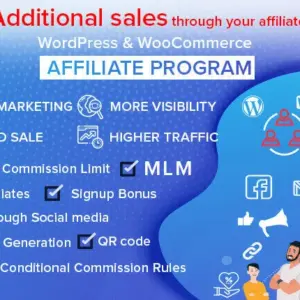
If you are struggling to acquire new customers profitably due to skyrocketing advertising costs, you are not alone. Traditional pay-per-click (PPC) ads are eating into e-commerce profit margins faster than ever. To build a sustainable, scalable business, forward-thinking store owners are turning to performance marketing—specifically, multi-level marketing (MLM) networks.
Transforming your customer base and affiliate partners into an active sales force is the most powerful way to guarantee a high return on investment. By utilizing a WooCommerce MLM plugin, you can incentivize your top promoters to not only sell your products but to recruit other marketers to do the same.
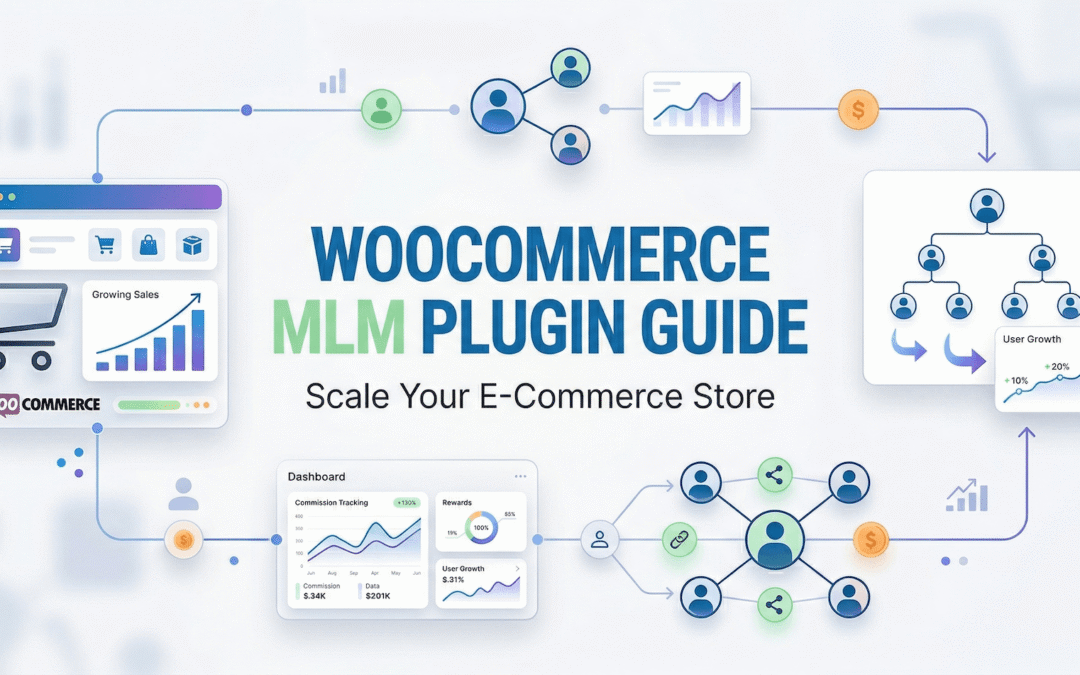
In this comprehensive guide, we will break down the concept of multi-level marketing for beginners, explain why it is an absolute game-changer for e-commerce growth, and help you find the best WordPress MLM plugin to automate your entire network.
Table of Contents
What is MLM in WooCommerce?
To understand the power of a WordPress MLM plugin, you first need to understand the core concept of Multi-Level Marketing (also known as Network Marketing). Do not let the terminology intimidate you; at its core, it is simply a highly incentivized affiliate program.
In a standard (single-tier) affiliate program, an affiliate shares a link. When a customer buys through that link, the affiliate earns a commission. That is where the transaction ends.
In a Multi-Level Marketing (MLM) program, affiliates are incentivized to recruit sub-affiliates (often called a “downline” or “children”). Here is how the workflow looks:
- Parent Affiliate (Affiliate A): Joins your program and recruits Affiliate B.
- Child Affiliate (Affiliate B): Promotes your store and makes a sale.
- The Payout: Affiliate B earns the direct commission for the sale. Affiliate A earns a smaller, “Level 1” override commission simply for recruiting Affiliate B.
By implementing a WooCommerce MLM plugin, your software automatically tracks these complex parent-child relationships, calculates the appropriate percentages for each level, and manages the payouts without requiring any manual math on your end.
Benefits of MLM Affiliate Systems for E-Commerce
Why should a standard WooCommerce store bother setting up a multi-level structure? The business advantages are massive.
1. Viral, Self-Sustaining Growth
The biggest bottleneck in standard affiliate marketing is that you (the store owner) have to constantly recruit new affiliates. An MLM affiliate system solves this by turning your existing affiliates into recruiters. Because they earn passive income from the sales of people they bring in, they will actively hunt for new influencers, bloggers, and marketers to join your program.
2. Rapid Network Expansion
Because your affiliates are incentivized to build their own teams, your brand reach expands exponentially. Affiliate A might only have 1,000 Instagram followers. But if Affiliate A recruits Affiliate B (who has 50,000 YouTube subscribers), your brand just gained massive exposure, all facilitated by your network architecture.
3. Passive Income for Promoters
To attract the highest-quality marketers in your industry, you need to offer competitive compensation. MLM provides them with the opportunity to build a residual, passive income stream. Once they build a strong downline, they earn money even while they sleep. This creates fierce loyalty to your brand.
Essential Features to Look for in a WooCommerce MLM Plugin
Running a multi-tiered network requires robust technology. If your plugin fails to track a sub-affiliate’s sale properly, your network will collapse due to a lack of trust. When evaluating your options, ensure your software includes these non-negotiable features:
- Multi-Level Commission Controls: You must be able to define the exact percentage or fixed amount paid out at each specific level (e.g., Level 1 gets 5%, Level 2 gets 2%, Level 3 gets 1%).
- Flawless Downline Tracking: The system must visually map out parent-child affiliate relationships so both the admin and the affiliates can see their network tree.
- Flexible MLM Structures: Different businesses need different rules. Look for tools that support Binary, Forced Matrix, and Unilevel architectures, allowing you to limit the “width” (number of children) and “depth” (number of levels) of your network.
- Automated Payout Systems: Calculating multi-level commissions manually via spreadsheets is impossible at scale. The plugin must integrate with payment gateways or WooCommerce wallets to automate mass payouts.
- WordPress Ecosystem Compatibility: Your store is likely built on more than just WooCommerce. The ideal plugin should be compatible with Contact Form 7 (CF7), Easy Digital Downloads (EDD), and other major WordPress plugins.
The Best WooCommerce MLM Plugins Compared
The WordPress plugin repository is massive, but very few tools have true, native multi-level marketing capabilities built-in. Here is our breakdown of the top options.
| Plugin | Native MLM Support | Ecosystem Compatibility | Pricing Model |
|---|---|---|---|
| Affiliate & Referral Program | Yes (Deep Native) | WooCommerce, EDD, CF7, WP | Premium Plugin |
| AffiliateWP | Requires 3rd Party Add-on | High (via Add-ons) | Core + Expensive Add-ons |
| YITH Affiliates | No | YITH Products Only | Tiered Yearly |
| WP Affiliate Manager | No | Basic WP | Freemium |
The Recommended Solution: Affiliate and Referral Program for WooCommerce
When it comes to building a highly scalable multi-level network, patching together base plugins and third-party add-ons is a recipe for database crashes and inaccurate payouts. You need a unified solution.
The Affiliate and Referral Program for WooCommerce stands out as the absolute best WooCommerce MLM plugin on the market. Available directly on the official WooCommerce extension store, it provides enterprise-grade network marketing features natively, eliminating the need for bloated add-ons.
Furthermore, it is a true WordPress affiliate plugin. It is fully compatible not only with WooCommerce but also with Easy Digital Downloads (EDD), Contact Form 7 (CF7), and other core WordPress plugins, ensuring your entire site’s ecosystem is perfectly tracked.
Key Advantages for Network Marketers:
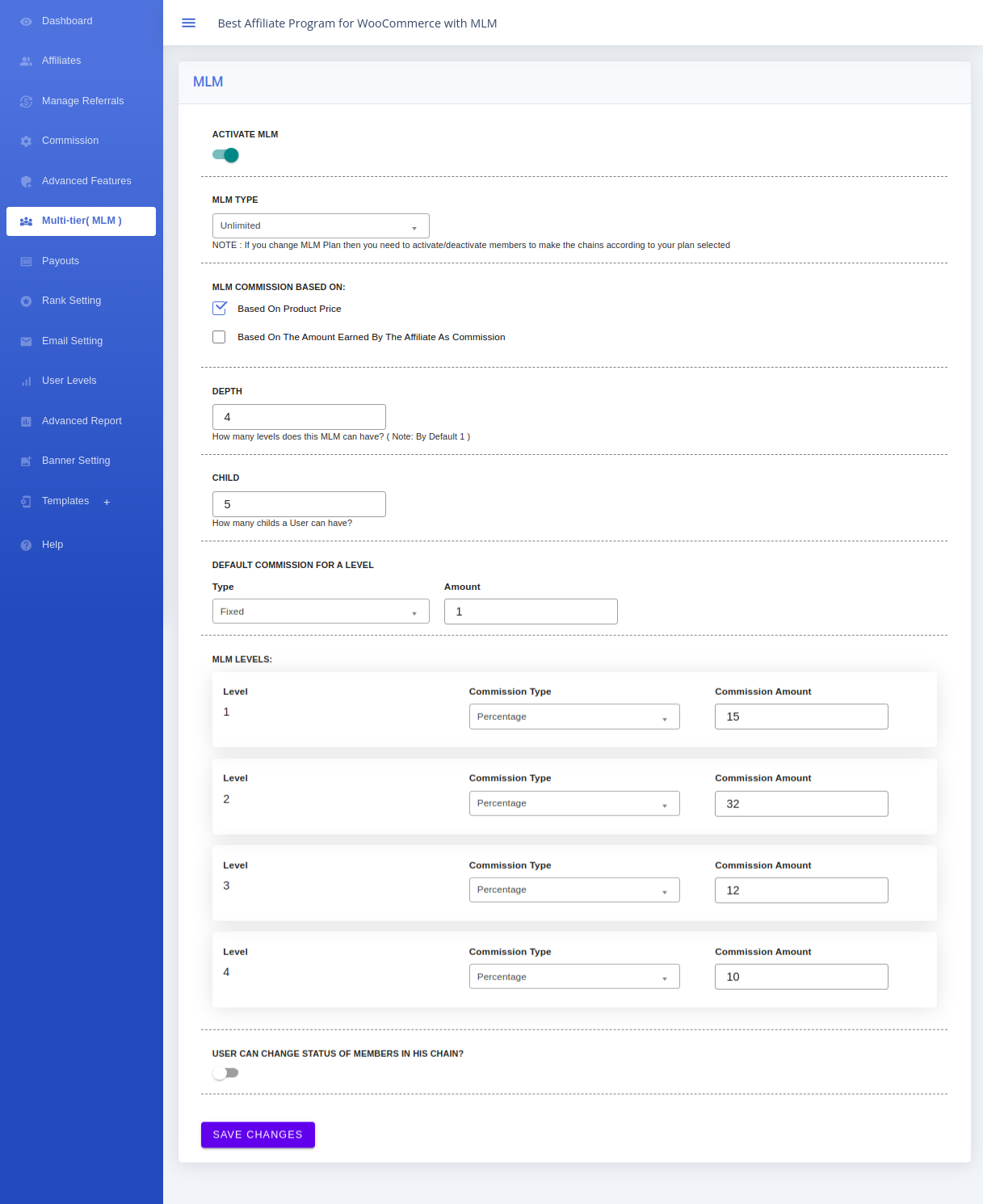
- Advanced MLM Structures: Unlike basic tools, you can choose the exact architecture of your network. Whether you want to run a Unilevel plan, a Forced Matrix, or a Binary structure, you have complete control over the “Depth” (how many levels down you pay) and the “Number of Children” (how wide an affiliate’s frontline can be).
- Granular Commission Rules: You can set distinct commission rates for every single level in the hierarchy. Furthermore, you can combine this with product-wise, category-wise, or affiliate-wise commission rules to protect your profit margins.
- Automated Level Tracking: When a child affiliate makes a sale, the system instantly calculates the direct commission for the child and automatically generates the MLM override commission for the parent affiliate.
- Unified Admin Management: Inside the WordPress dashboard, store admins have a clean, dedicated “Referral” tab to review, approve, or reject both direct commissions and MLM-level commissions with a single click.
Step-by-Step Setup Guide: Activating MLM Plugin in WooCommerce
Setting up a complex network marketing structure is surprisingly simple when using the right software. Here is the exact workflow to launch your MLM system using the Affiliate and Referral Program plugin.
Step 1: Activate and Configure WooCommerce MLM Plugin
- Log in to your WordPress Dashboard.
- Navigate to the left-hand menu and select WooCommerce > Affiliate and Referral.
- Click on the MLM tab at the top of the settings page.
- Toggle the feature to Activate.
- Configure your network rules:
- Choose MLM type: Select the structural type you want (e.g., Unilevel, Matrix).
- Set Depth: Define how many levels deep your commissions will track (e.g., 3 levels).
- Number of Children: Specify the maximum number of direct recruits each affiliate can have on their frontline.
- Set Commission on Each Level: Enter the specific percentage or fixed amount you want to pay out for Level 1, Level 2, etc.
Step 2: Child Affiliate Link Generation
Once configured, your affiliates can begin recruiting and selling. A sub-affiliate (child) simply logs into their front-end affiliate dashboard, navigates to the Affiliate Tool tab, and generates their unique tracking link to share with their audience.
Step 3: Tracking Purchases and Commissions
The system is entirely automated from this point forward. When a customer purchases a product using the child affiliate’s link:
- The Child Affiliate instantly receives the direct commission (as configured in your general Commission settings tab).
- The Parent Affiliate (the recruiter) automatically receives the Level 1 MLM commission (as configured in your MLM tab).
Step 4: Admin Approval of Commissions
To prevent fraud, payouts are not sent immediately. The store admin has total control.
- Log into the WordPress dashboard and navigate to WooCommerce > Affiliate and Referral > Referral tab.
- Here, you will see clearly separated rows for every transaction:
- Referral Commission: Indicates the direct sale payout for the child.
- MLM Commission: Indicates the passive override payout for the parent.
- Review the orders, ensure they have passed your store’s refund window, and click Approve or Reject.
Explore More WooCommerce Guides:
Frequently Asked Questions (FAQ)
What is the difference between a standard affiliate plugin and an MLM plugin?
A standard affiliate plugin only tracks and rewards direct sales (a 1-to-1 relationship). A WooCommerce MLM plugin tracks multi-tiered relationships, rewarding affiliates not only for their own sales but also for the sales made by the sub-affiliates they recruit.
Is this plugin only for WooCommerce?
No. While it integrates deeply with WooCommerce e-commerce stores, the Affiliate and Referral Program is highly versatile. It is fully compatible with Contact Form 7 (CF7), Easy Digital Downloads (EDD), and other WordPress plugins, making it a comprehensive WordPress affiliate solution.
Can I set different commission rates for different MLM levels?
Yes. Inside the MLM tab, you have granular control. You can set Level 1 to earn a 5% override, Level 2 to earn a 3% override, and Level 3 to earn a 1% override. This allows you to aggressively incentivize direct recruitment while protecting your profit margins deeper down the network.
Will an MLM structure slow down my WordPress site?
It depends on the software. If you use a basic plugin and try to force MLM capabilities via third-party add-ons, database bloat will slow your site down. Choosing a native, all-in-one solution like the Affiliate and Referral Program ensures database queries are optimized and your site speed remains fast, even with thousands of affiliates.
How do I prevent fraud in my MLM network?
The most effective way to prevent fraud is to utilize the manual approval workflow. Always delay approving both Referral Commissions and MLM Commissions until your standard store refund policy window has expired. This prevents affiliates from buying products to inflate their rank and then refunding the purchase.