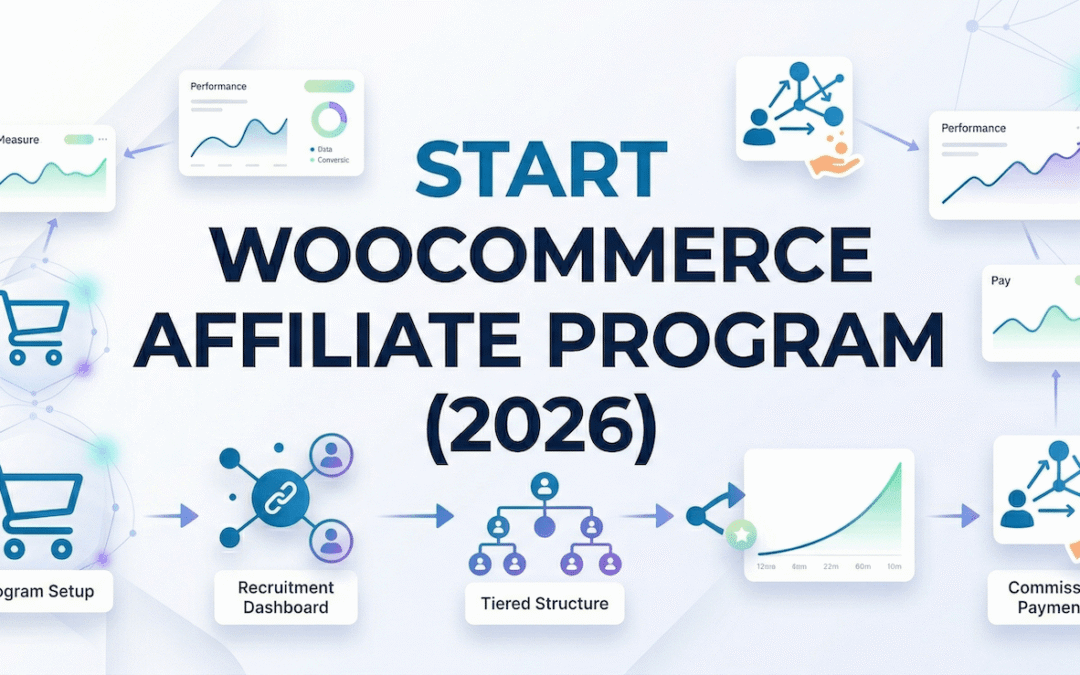
How to Start Affiliate Program WooCommerce: The Ultimate Step-by-Step Guide
If you are running an e-commerce store today, you are likely feeling the squeeze. Pay-per-click (PPC) advertising costs on Google and Facebook are at an all-time high, while organic social media reach continues to plummet. Relying entirely on paid ads to acquire new customers is a dangerous game that quickly eats away at your profit margins.
The smartest e-commerce founders are shifting their focus to performance marketing. Instead of paying upfront for clicks that may never convert into sales, they are building an army of brand ambassadors to promote their products. If you are wondering how to start an affiliate program in WooCommerce setups to protect your margins and scale your store, you are in exactly the right place.
In this comprehensive, beginner-friendly guide, we will break down exactly what an affiliate program is, why your store desperately needs one, and give you a step-by-step blueprint to launch your own automated revenue engine today.
If you’re wondering how to start an affiliate program in WooCommerce, you’re not alone. Many store owners are shifting from paid ads to affiliate marketing to grow sustainably.
What is a WooCommerce Affiliate Program?
An affiliate program is a performance-based marketing strategy where you reward external partners (affiliates, influencers, or loyal customers) for driving traffic and sales to your WooCommerce store.
Here is how the ecosystem works in plain English:
- You provide an affiliate with a unique, trackable URL link or a specific promotional coupon code.
- The affiliate shares that link or code with their audience on their blog, YouTube channel, TikTok, or email newsletter.
- A customer clicks the link (or uses the code) and makes a purchase on your store.
- Your WooCommerce affiliate program tracks the transaction and automatically awards the affiliate a predefined commission (a flat fee or a percentage of the sale).
Because WooCommerce does not have this functionality built into its core software, you need to add a specialized plugin to handle the tracking, cookie generation, and payouts.
The Business Benefits of Affiliate Marketing
Why are top-tier brands abandoning traditional advertising for affiliate marketing? The answer lies in the math.
1. Zero-Risk, Low Customer Acquisition Cost (CAC)
With Facebook ads, you pay for impressions and clicks. If your website fails to convert that traffic, you lose money. Affiliate marketing operates on a Cost-Per-Action (CPA) model. You only pay a commission after a successful, verified sale has been processed and the money is in your bank account. This effectively guarantees profitability on every single transaction.
2. Infinitely Scalable Growth
An advertising campaign requires you to constantly inject more cash to reach more people. An affiliate program scales organically. Once your tracking system and affiliate dashboard are set up, managing 10 affiliates requires the exact same amount of administrative effort as managing 10,000 affiliates. Your partners do the heavy lifting of content creation and audience building.
3. Passive Revenue & SEO Backlinks
When bloggers and media outlets join your program, they embed your store’s links into their articles. These permanent links act as a continuous source of passive referral traffic. Furthermore, getting linked from high-authority websites sends massive organic ranking signals to Google, which actively boosts your store’s overall Search Engine Optimization (SEO).
Best Way to Start Affiliate Program in WooCommerce
The best way to start an affiliate program in WooCommerce is by choosing a reliable plugin, setting clear commission rules, and onboarding the right affiliates. A well-structured system ensures long-term growth and consistent revenue.
Step-by-Step Guide: How to Start Affiliate Program WooCommerce
Launching your program doesn’t require deep coding knowledge or an expensive developer. Follow these five actionable steps to get your tracking infrastructure live.
Step 1: Install a Dedicated WooCommerce Affiliate Plugin
As mentioned, WooCommerce needs a dedicated extension to track affiliate sales. You need to install software that sits on top of your store, monitors incoming traffic, attributes sales to the correct affiliate, and calculates the math.
Navigate to your WordPress dashboard, go to Plugins > Add New, and upload a robust tracking tool (we will review the absolute best option in the next section).
Step 2: Configure Your Commission Strategy
Before you invite anyone to promote your store, you must define the rules of the game. A flat 10% commission across your entire store is dangerous if you have varying profit margins.
- High-Margin Products: Offer aggressive commissions (20%–30%) on digital goods, software, or high-markup apparel to attract top-tier influencers.
- Low-Margin Products: Set lower commissions (2%–5%) on heavy physical goods or items with tight wholesale margins.
- Global vs. Specific Rates: Configure your plugin to have a standard base rate, but use “combinational rules” to override that rate for specific categories or VIP affiliates.
Step 3: Set Up Affiliate Tracking Parameters
Tracking is the lifeblood of your program. If affiliates feel their sales are not being recorded accurately, they will immediately stop promoting you.
- Set Cookie Duration: Determine how long an affiliate’s tracking cookie lasts. A standard duration is 30 to 60 days. This means if a user clicks an affiliate link but waits 20 days to buy, the affiliate still gets paid.
- Enable Coupon Tracking: Not all affiliates use URL links. Ensure your plugin supports coupon tracking so that Instagram and TikTok creators can simply tell their followers to “Use code SAVE20 at checkout.”
Step 4: Create a Dedicated Affiliate Dashboard
Your affiliates need a secure portal on your website where they can log in, generate their unique tracking links, monitor their clicks and sales, and see their upcoming payouts.
Use your plugin’s shortcode to create a dedicated page (e.g., yourstore.com/affiliate-portal). Make sure this dashboard includes a “Creatives” tab where you have pre-uploaded high-resolution brand logos, banner ads, and suggested email copy for them to use.
Step 5: Invite and Onboard Affiliates
A program without affiliates generates zero revenue. Start your outreach:
- Your Existing Customers: Turn on a B2C customer referral module to invite your happiest buyers to refer their friends for store credit.
- Cold Outreach: Search Google for “Best [Your Niche] Products” and reach out to the bloggers who wrote the ranking articles. Offer them a VIP commission rate to add your product to their listicle.
- Social Media: Announce the launch of your program on your social channels with a clear link to your registration page.
The Best Plugin Recommendation: Affiliate and Referral Program for WooCommerce
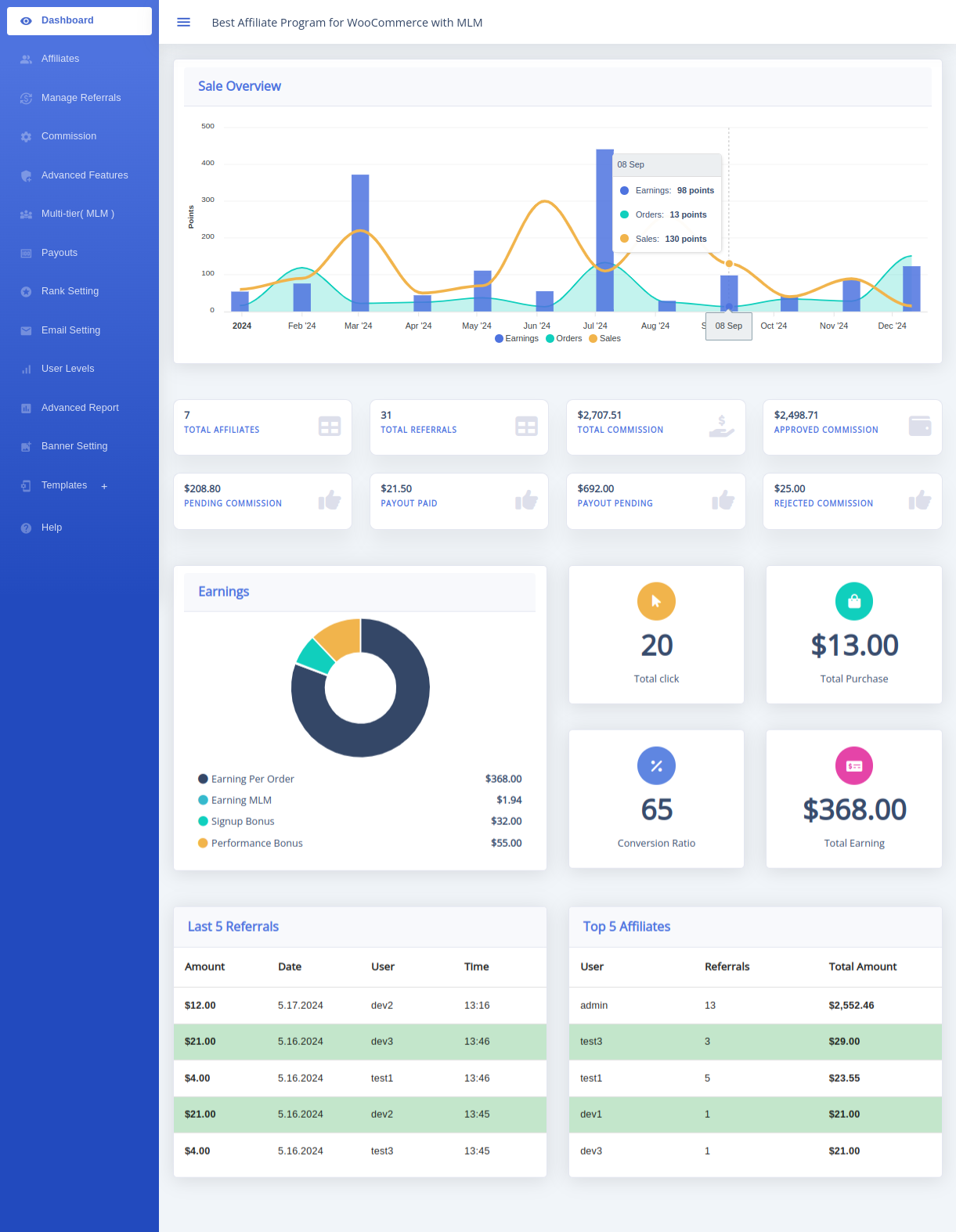
If you are a beginner looking for the most seamless way to implement the steps above, you will quickly notice that many plugins force you to buy dozens of expensive “add-ons” just to get basic features.
To avoid the nightmare of piecing together different software, we highly recommend the Affiliate and Referral Program for WooCommerce. Available directly on the official WooCommerce marketplace, it is widely considered the ultimate all-in-one growth engine.
Why This is the Ultimate Solution for Beginners:
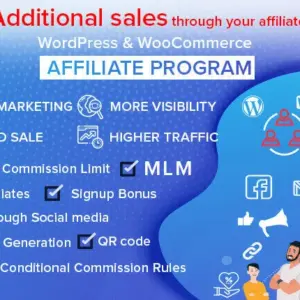
- Dual B2B & B2C System: You do not need to buy one plugin for professional bloggers and a second plugin for your retail customers. This tool runs a classic affiliate network and a customer “refer-a-friend” program from the exact same dashboard.
- Ease of Setup: It integrates natively into WooCommerce. There are no complicated API keys to configure or external SaaS scripts to inject into your header. It is plug-and-play.
- Combinational Commission Rules: It offers unmatched margin protection. You can set highly specific rules based on products, categories, or specific affiliates, mixing fixed and percentage-based payouts.
- Two-Way Rewards: This is a massive conversion booster. You can configure the system so that when an affiliate shares a link, the buyer gets an instant cart discount, and the affiliate gets their commission. It’s a win-win that drives immediate sales.
- Custom Coupon Assignment: Perfect for modern social media. Assign a specific coupon code directly to a TikTok influencer. When that code is used, the commission is tracked flawlessly without needing a URL click.
- Built-in MLM Support: Want your affiliates to recruit other affiliates for you? This plugin includes deep Multi-Level Marketing architecture right out of the box, allowing you to build infinitely scalable downlines.
By choosing an all-in-one solution, you eliminate database bloat, reduce your monthly software expenses, and provide a world-class experience for your brand ambassadors.
Common Mistakes to Avoid When Starting Out
Many store owners launch an affiliate program but fail to gain any traction. Avoid these beginner pitfalls:
- Hiding Your Program: If the link to your affiliate registration page is buried or non-existent, no one will join. Put a clear “Become an Affiliate” link in your website’s main footer.
- Making Affiliates Do All the Work: If an influencer joins your program and finds a blank dashboard with no banner ads, no product images, and no suggested text, they will leave. Equip them with high-converting marketing assets.
- Delaying Payouts: Affiliates talk to each other. If you are chronically late paying your commissions, word will spread, and your program will die. Use automated payout tools or WooCommerce wallet integrations to ensure timely compensation.
- Ignoring Fraud Prevention: Always set your plugin to delay commission payouts until your store’s standard 14-day or 30-day refund window has closed. This prevents scammers from buying through their own links, securing the commission, and then refunding the product.
Proven Tips to Grow Your Affiliate Program
Once your tracking is live and your first few affiliates are onboarded, use these strategies to scale your revenue exponentially:
Gamify with Level-Wise Commissions
Do not treat all affiliates equally. Use your plugin to create a tiered system (e.g., Bronze, Silver, Gold). Automatically promote affiliates to higher commission percentages once they hit specific sales milestones. This gives them a powerful incentive to keep pushing your products rather than switching to a competitor.
Offer Lifetime Commissions to Top Performers
To attract massive industry influencers, offer them lifetime tracking. This means that if they refer a customer today, they will earn a passive commission on every future purchase that specific customer makes on your store. It is the ultimate B2B selling point.
Run Time-Sensitive Contests
Host a “Holiday Sales Contest” where the affiliate who drives the most revenue in November wins a $500 cash bonus or a free iPad. Contests create urgency and reactivate dormant affiliates who haven’t promoted you in a while.
Explore More WooCommerce Guides:
Now that you understand how to start an affiliate program in WooCommerce, you can build a scalable marketing system that drives long-term growth and reduces dependency on paid ads.
Frequently Asked Questions (FAQ)
Does WooCommerce have a built-in affiliate program?
No, WooCommerce core does not include native affiliate tracking. You must install a dedicated WordPress plugin, like the Affiliate and Referral Program for WooCommerce, to generate trackable links, monitor cookies, and calculate commission payouts.
How much commission should I pay my affiliates?
The standard e-commerce commission ranges from 5% to 15%. However, digital products or software often command 20% to 50% commissions because there are no manufacturing or shipping costs. Always calculate your profit margins before setting a rate.
What is the difference between an affiliate program and a referral program?
While the tracking technology is similar, the audience is different. An affiliate program targets professional B2B marketers, bloggers, and influencers who want to earn cash. A referral program targets your existing B2C customers, rewarding them with store credit or coupons for referring friends. The best plugins handle both simultaneously.
How do I pay my affiliates?
Most modern WooCommerce affiliate plugins allow you to generate a CSV file for mass PayPal payouts, or connect directly via Stripe. Alternatively, you can allow affiliates to convert their earned commissions directly into WooCommerce store credit to spend back on your website.
Do I need an MLM feature?
Multi-Level Marketing (MLM) is optional but highly recommended for rapid scaling. It allows your existing affiliates to recruit new sub-affiliates under them. The parent affiliate earns a tiny percentage of the sub-affiliate’s sales, turning your partners into active recruiters for your brand.
Can I track affiliates without them using URL links?
Yes. By using custom coupon assignment, you can give an affiliate a unique WooCommerce discount code. When a customer types that code in at checkout, the affiliate software automatically attributes the sale and awards the commission, entirely bypassing the need for cookies or clicked links.