by RedefiningTheWeb | Nov 7, 2019
First installed the plugin in your site & activate it. After successful installing go to Admin Menu Panel — > RTW Catalog. In RTW catalog menu there are two sub-menu : 1. PDF Catalog Setting and 2.Flipbook Setting In PDF Catalog Setting option user can set the...
by RedefiningTheWeb | Nov 7, 2019
RTL Support : Check this if user want Right -to-left align in your PDF catalog. Enable Password : Check this if user want to set a password for your PDF catalog. Enter A Password : In this box user can enter a password. Set Background Image Of PDF : Select image for...
by RedefiningTheWeb | Nov 7, 2019
The WooCommerce PDF Catalog Pro is the next generation WordPress plugin is an all-in-one solution for store owners looking to publicize their store online as well as offline.It allows the site admin to develop printable PDF catalogs of all products along with the...
by RedefiningTheWeb | Nov 7, 2019
Step 1: Download from CodeCanyon After Purchasing the plugin on CodeCanyon. Go to Downloads page. Find the Plugin on the list and click on Green Download Button. Save the zip file on your computer. Step 2: Install via WordPress Admin (wp-admin) Login as administrator...

by RedefiningTheWeb | Jul 20, 2019
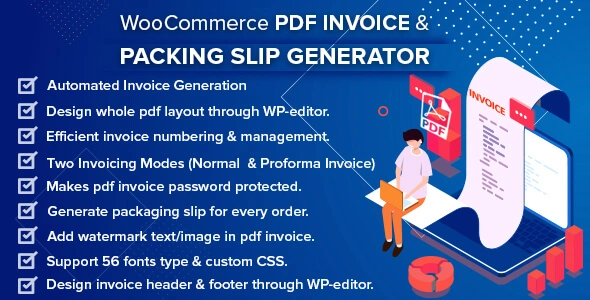
WooCommerce PDF Invoice Generator is a robust plugin for WooCommerce online stores. Developed with a range of eminent features, this plugin automatically creates invoices when customers place an order. This user-friendly integrated and comprehensive plugin fulfills...

 Mercado Enterprise - Best WooCommerce Multi Vendor Marketplace Solution
Price range: $249.00 through $999.00
Mercado Enterprise - Best WooCommerce Multi Vendor Marketplace Solution
Price range: $249.00 through $999.00